



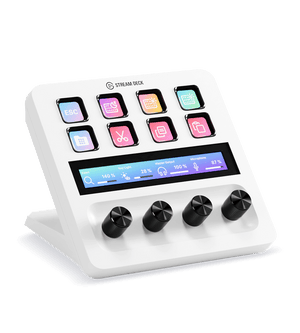
Elgato Stream Deck + LCD Key and Dial Controller
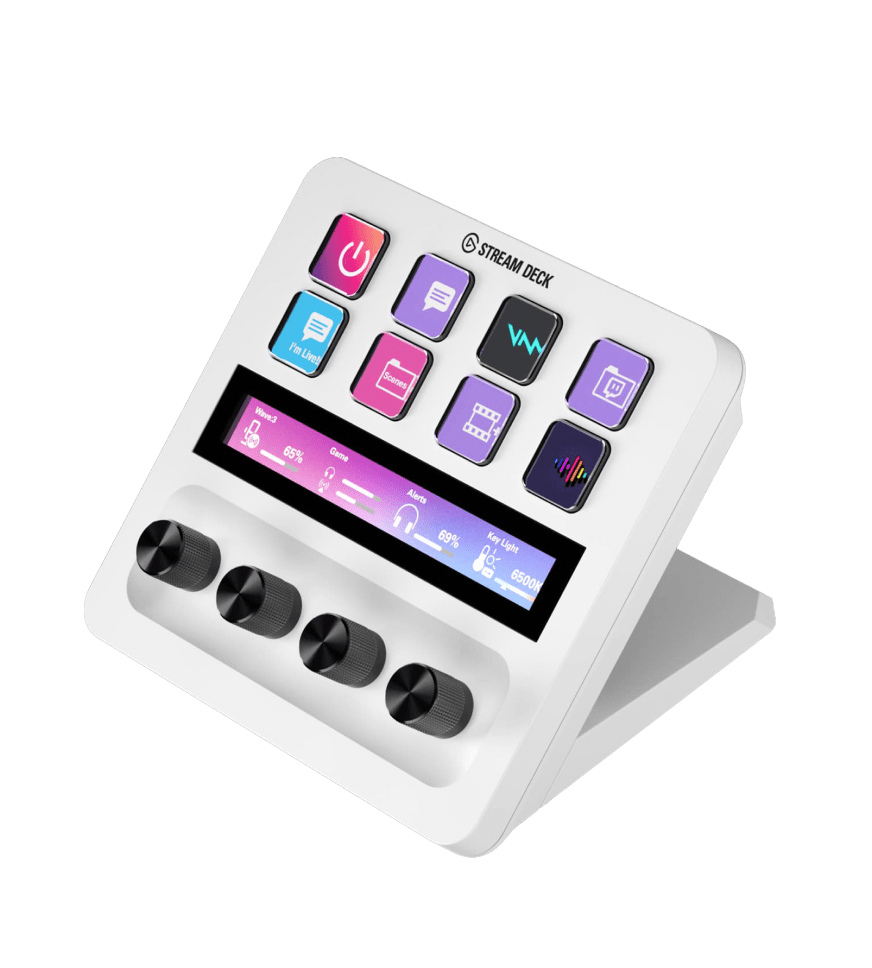
Bring precise adjustments and one-touch control to the same desk Stream Deck + combines LCD shortcut keys, four rotary dials and a touch strip. Tap a key to switch a scene, turn a dial to adjust a supported audio channel and swipe the strip to change pages. It serves a production desk as well as a workstation with repeated editing and meeting tasks. Highlights LCD keys Eight customisable LCD keys for software actions Dials Four rotary encoders with push functions Touch strip and software Touch strip for live readouts and page navigation Stream Deck app and compatible plug-ins for app-specific control Key Features One-touch commands Assign supported actions to the LCD keys. Icons and profiles make the controls easier to recognise when you switch tasks. Rotary control with push actions Use the dials to adjust supported values gradually. Where an action supports it, a press can perform a related command. Touch strip and feedback See labels or supported adjustment feedback on the strip. Use its touch controls to move between your pages. App and plug-in support Connect by USB-C and configure the controller in Stream Deck. Check the exact audio or production plug-in for the actions you want. Summary Choose Stream Deck + when you need analogue-style control for repeatable adjustments as well as shortcuts for discrete actions. Frequently Asked Questions Can I adjust volume with the dials?ExpandCollapse Yes, through supported audio actions or plug-ins. Configure the channels you want in Stream Deck. Do the dials also work as buttons?ExpandCollapse Yes. Each rotary encoder has a push action. Can I set up profiles for different apps?ExpandCollapse Yes. Configure profiles and folder layouts in the Stream Deck desktop app. What does the strip display?ExpandCollapse It shows labels or feedback from configured dial actions and supports page gestures. How does it connect?ExpandCollapse Connect the included USB-C cable to a supported computer.
Maaaring kunin sa 3005, Ubi Avenue 3, #01-88
Karaniwang handa sa loob ng 2-4 na araw ng negosyo (hindi kasama ang mga pampublikong pista opisyal)
Elgato Stream Deck + LCD Key and Dial Controller
Umorder ng maraming opsyon
Itakda ang dami para sa bawat opsyon. Awtomatikong maa-update ang iyong cart.
Variant
Dami
Presyo
Variant total
Variants
Total items
Total items
Product subtotal
Paglalarawan
Bring precise adjustments and one-touch control to the same desk
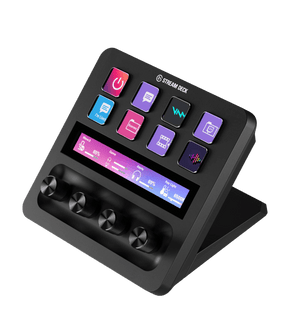
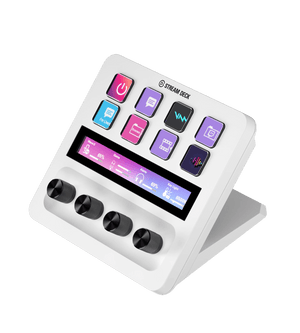
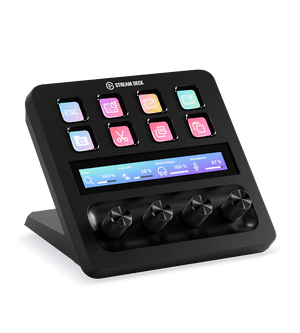
Stream Deck + combines LCD shortcut keys, four rotary dials and a touch strip. Tap a key to switch a scene, turn a dial to adjust a supported audio channel and swipe the strip to change pages. It serves a production desk as well as a workstation with repeated editing and meeting tasks.
Highlights
LCD keys
- Eight customisable LCD keys for software actions
Dials
- Four rotary encoders with push functions
Touch strip and software
- Touch strip for live readouts and page navigation
- Stream Deck app and compatible plug-ins for app-specific control
Key Features
One-touch commands
Assign supported actions to the LCD keys. Icons and profiles make the controls easier to recognise when you switch tasks.
Rotary control with push actions
Use the dials to adjust supported values gradually. Where an action supports it, a press can perform a related command.
Touch strip and feedback
See labels or supported adjustment feedback on the strip. Use its touch controls to move between your pages.
App and plug-in support
Connect by USB-C and configure the controller in Stream Deck. Check the exact audio or production plug-in for the actions you want.

Summary
Choose Stream Deck + when you need analogue-style control for repeatable adjustments as well as shortcuts for discrete actions.
Frequently Asked Questions
Can I adjust volume with the dials?
Yes, through supported audio actions or plug-ins. Configure the channels you want in Stream Deck.
Do the dials also work as buttons?
Yes. Each rotary encoder has a push action.
Can I set up profiles for different apps?
Yes. Configure profiles and folder layouts in the Stream Deck desktop app.
What does the strip display?
It shows labels or feedback from configured dial actions and supports page gestures.
How does it connect?
Connect the included USB-C cable to a supported computer.
Mga detalye
Elgato Stream Deck + LCD Key and Dial Controller
Stream Deck + combines eight LCD keys, four push dials and a touch strip for desktop software control. Key actions, dial functions, profiles and touch strip readouts are assigned through the Stream Deck app or compatible plugins. Check the host port and operating system, as these determine whether the controller and all intended integrations can be used.
| Specification | Details |
|---|---|
| Controls and Display | |
| Keys | 8 customisable LCD keys |
| Dials | 4 push-enabled 360° encoders |
| LCD touch strip | 108 × 14 mm |
| Connectivity and Size | |
| Host interface | USB 2.0, USB-C |
| Configuration | Elgato Stream Deck desktop app |
| Dimensions and weight | 140 × 138 × 110 mm, 465 g |
| In the box | Stream Deck +, 1.5 m USB-C cable and quick-start guide |
| Host operating systems | Windows 11 or later or macOS 13 or later |
| Host port | Manufacturer system requirements list a USB-C 3.0 port |