

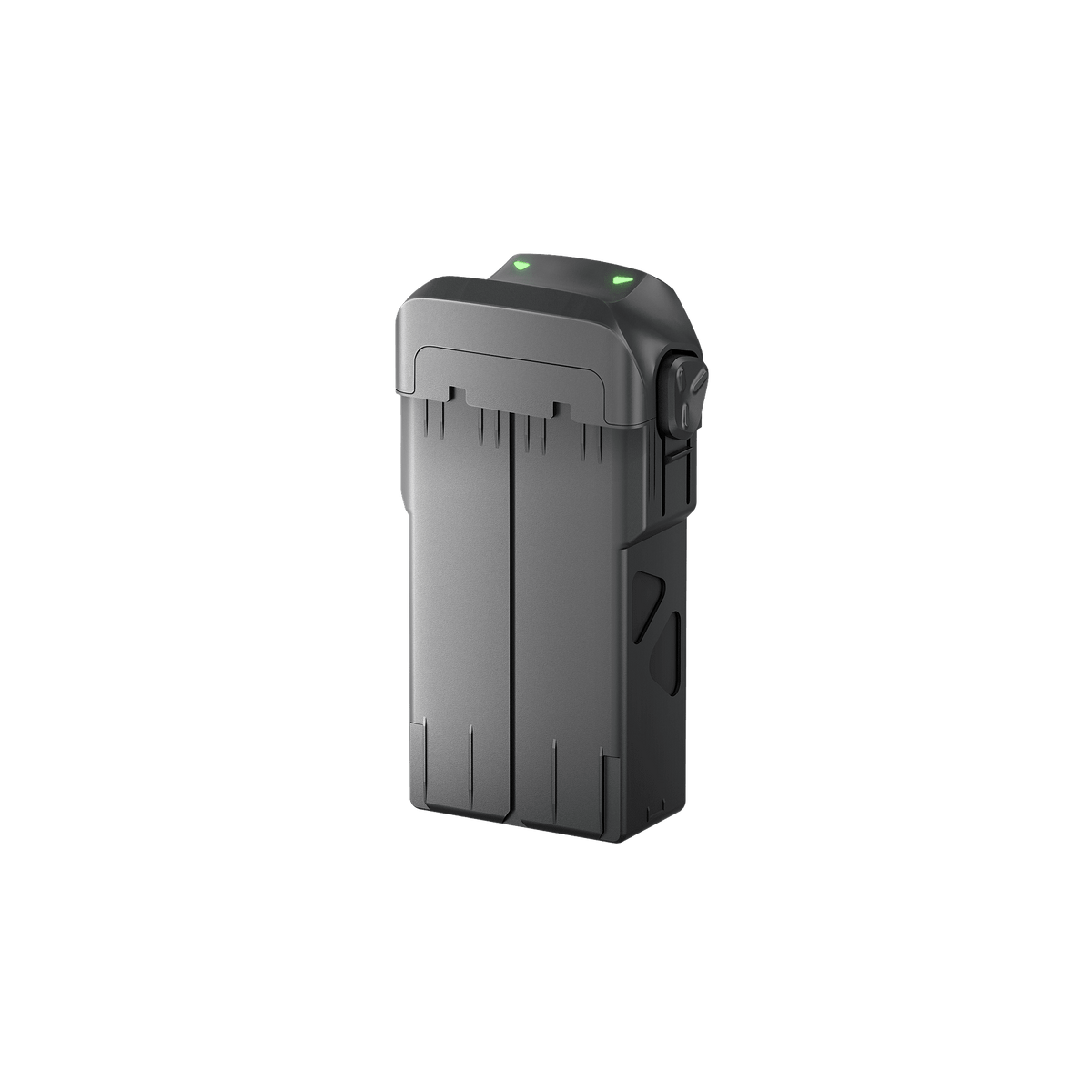





Antigravity A1 Flight Battery
Keep the Next Flight in Your Plans Good footage often begins before take-off, with enough power prepared for the session ahead. Antigravity A1 Flight Battery gives your aircraft a purpose-built source of power and a straightforward way to carry a charged spare. Select the battery that suits your balance of aircraft weight, charging time and rated endurance, then build the rest of your A1 kit around that choice. Highlights Power Designed Around A1 Use an original battery designed for the A1 aircraft, with the correct housing, contacts and locking arrangement. It works within the existing A1 charging and flight system rather than relying on a generic power pack. Prepare for the Next Take A spare battery lets you plan another flight after landing and completing your checks. Rotate charged packs between sessions while preparing used batteries for their next charge. Choose the Right Flight Setup Balance the lighter configuration against greater stored energy for longer rated endurance. The selected battery affects the aircraft’s take-off weight and charging time, so choose it as part of the complete flight plan. Key Features Purpose-Built Battery Fit Insert the pack fully until the latches click into place. The matched enclosure and electrical connection are designed specifically for A1; always switch the aircraft off before inserting or removing a battery. Original Lithium-Ion Power Both battery configurations use a two-cell lithium-ion design with the same nominal and charging-limit voltages. The energy and net weight differ by selection, with the exact figures shown in the specifications. Two Supported Charging Routes Charge a battery while it is installed in A1, or use the optional A1 Charging Hub. A suitable USB-C power source is required; the manufacturer’s published hub charging times use its 65 W GaN Charger. Battery Status at a Touch The battery’s LED indicators show its charge level when the touch area is tapped. Check the pack before installing it and use the aircraft’s battery status information when preparing your flight. Preparation Before First Use New batteries arrive in sleep mode. Connect a battery to power through the aircraft or Charging Hub to activate it, then follow any battery-firmware update prompts in the Antigravity app. Configured Weight Matters The higher-energy battery increases A1’s basic take-off weight above 249 g. Guards and other fitted accessories can also change the aircraft’s configuration, so check the requirements for the complete setup where you intend to fly. Summary Make another take part of the plan with a genuine battery matched to Antigravity A1. Keep charged packs organised, allow used batteries to cool before charging, and check that the selected configuration suits the flight. This listing supplies one battery in your chosen configuration; charging equipment is available separately. Frequently Asked Questions Which A1 flight battery should I choose?ExpandCollapse Choose Standard for the lighter basic aircraft configuration, or High-Capacity when longer rated endurance is the priority. Both fit Antigravity A1. Compare the charging time, energy and configured aircraft weight in the specifications before selecting. Does the High-Capacity battery keep A1 below 249 g?ExpandCollapse No. Antigravity lists a basic take-off weight of 291 g with the High-Capacity battery, compared with 249 g with the Standard battery. Additional fitted accessories can increase it further. Check the rules for your location and complete setup. How do I activate and charge a new battery?ExpandCollapse Install it in A1 and connect the aircraft to a suitable charger, or insert it into a powered A1 Charging Hub. The initial power connection activates the sleeping battery. Follow the manual and app prompts before first flight; the charger and hub are separate accessories. Will every flight reach the published maximum duration?ExpandCollapse No. The rated durations come from controlled manufacturer tests. Wind, temperature, manoeuvres, recording settings, battery condition and fitted accessories change actual endurance. Allow for the conditions and leave sufficient power for a controlled return. How should I store a spare battery between trips?ExpandCollapse Follow the manufacturer’s storage guidance: keep it in a cool, dry place and charge it to at least 60% before long-term storage. Check and recharge it to 60% every three months. Let a used battery cool before charging and do not use a damaged or swollen pack.
Pickup available at 3005, Ubi Avenue 3, #01-88
Usually ready in 2-4 Business Day (Excluding Public Holiday)
Antigravity A1 Flight Battery
Umorder ng maraming opsyon
Itakda ang dami para sa bawat opsyon. Awtomatikong maa-update ang iyong cart.
Variant
Dami
Presyo
Variant total
Variants
Total items
Total items
Product subtotal
Paglalarawan
Keep the Next Flight in Your Plans
Good footage often begins before take-off, with enough power prepared for the session ahead. Antigravity A1 Flight Battery gives your aircraft a purpose-built source of power and a straightforward way to carry a charged spare. Select the battery that suits your balance of aircraft weight, charging time and rated endurance, then build the rest of your A1 kit around that choice.
Highlights
Power Designed Around A1
Use an original battery designed for the A1 aircraft, with the correct housing, contacts and locking arrangement. It works within the existing A1 charging and flight system rather than relying on a generic power pack.
Prepare for the Next Take
A spare battery lets you plan another flight after landing and completing your checks. Rotate charged packs between sessions while preparing used batteries for their next charge.
Choose the Right Flight Setup
Balance the lighter configuration against greater stored energy for longer rated endurance. The selected battery affects the aircraft’s take-off weight and charging time, so choose it as part of the complete flight plan.
Key Features
Purpose-Built Battery Fit
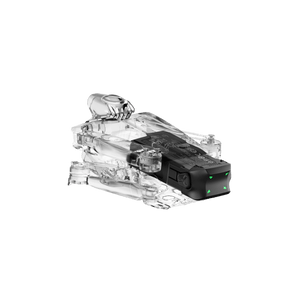
Insert the pack fully until the latches click into place. The matched enclosure and electrical connection are designed specifically for A1; always switch the aircraft off before inserting or removing a battery.
Original Lithium-Ion Power
Both battery configurations use a two-cell lithium-ion design with the same nominal and charging-limit voltages. The energy and net weight differ by selection, with the exact figures shown in the specifications.
Two Supported Charging Routes
Charge a battery while it is installed in A1, or use the optional A1 Charging Hub. A suitable USB-C power source is required; the manufacturer’s published hub charging times use its 65 W GaN Charger.
Battery Status at a Touch
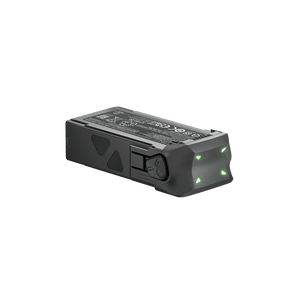
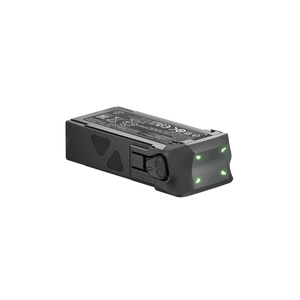
The battery’s LED indicators show its charge level when the touch area is tapped. Check the pack before installing it and use the aircraft’s battery status information when preparing your flight.
Preparation Before First Use
New batteries arrive in sleep mode. Connect a battery to power through the aircraft or Charging Hub to activate it, then follow any battery-firmware update prompts in the Antigravity app.
Configured Weight Matters
The higher-energy battery increases A1’s basic take-off weight above 249 g. Guards and other fitted accessories can also change the aircraft’s configuration, so check the requirements for the complete setup where you intend to fly.
Summary
Make another take part of the plan with a genuine battery matched to Antigravity A1. Keep charged packs organised, allow used batteries to cool before charging, and check that the selected configuration suits the flight. This listing supplies one battery in your chosen configuration; charging equipment is available separately.
Frequently Asked Questions
Which A1 flight battery should I choose?
Choose Standard for the lighter basic aircraft configuration, or High-Capacity when longer rated endurance is the priority. Both fit Antigravity A1. Compare the charging time, energy and configured aircraft weight in the specifications before selecting.
Does the High-Capacity battery keep A1 below 249 g?
No. Antigravity lists a basic take-off weight of 291 g with the High-Capacity battery, compared with 249 g with the Standard battery. Additional fitted accessories can increase it further. Check the rules for your location and complete setup.
How do I activate and charge a new battery?
Install it in A1 and connect the aircraft to a suitable charger, or insert it into a powered A1 Charging Hub. The initial power connection activates the sleeping battery. Follow the manual and app prompts before first flight; the charger and hub are separate accessories.
Will every flight reach the published maximum duration?
No. The rated durations come from controlled manufacturer tests. Wind, temperature, manoeuvres, recording settings, battery condition and fitted accessories change actual endurance. Allow for the conditions and leave sufficient power for a controlled return.
How should I store a spare battery between trips?
Follow the manufacturer’s storage guidance: keep it in a cool, dry place and charge it to at least 60% before long-term storage. Check and recharge it to 60% every three months. Let a used battery cool before charging and do not use a damaged or swollen pack.
Mga detalye
Antigravity A1 Flight Battery
Antigravity A1 Flight Battery is an original rechargeable battery family for the A1 aircraft. Standard and High-Capacity selections share the same fit and electrical system, while stored energy, weight and rated endurance differ. Both can be charged through the aircraft or the optional A1 Charging Hub. The grouped specifications below identify each configuration clearly, including the effect on basic aircraft take-off weight. Actual flight and charging performance varies with operating conditions and equipment.
| Specification | Details |
|---|---|
| Compatibility and Battery Design | |
| Compatible Aircraft | Antigravity A1 |
| Battery Type | Rechargeable Li-ion 2S |
| Nominal Voltage | 7.16 V |
| Charge-Limit Voltage | 8.6 V |
| Battery Dimensions | 50.8 × 27.2 × 89.6 mm |
| Standard Battery | |
| Capacity and Energy | 2360 mAh; 16.90 Wh |
| Net Battery Weight | Approx. 67.5 g |
| Rated Flight Time | Up to 24 minutes |
| Basic Aircraft Take-Off Weight | 249 g with Standard battery; additional fitted accessories change the configuration |
| Hub Charging Time | One battery approx. 45 minutes; three batteries approx. 135 minutes |
| High-Capacity Battery | |
| Capacity and Energy | 4345 mAh; 31.11 Wh |
| Net Battery Weight | Approx. 108.6 g |
| Rated Flight Time | Up to 39 minutes |
| Basic Aircraft Take-Off Weight | 291 g with High-Capacity battery; additional fitted accessories change the configuration |
| Hub Charging Time | One battery approx. 60 minutes; three batteries approx. 180 minutes |
| Charging and Test Conditions | |
| Charging Temperature | 5°C to 45°C |
| Supported Charging Methods | In the A1 aircraft or with the optional A1 Charging Hub |
| Hub Charging Test Conditions | 25°C laboratory conditions; Antigravity 65 W GaN Charger supplying the A1 Charging Hub |
| Rated Flight-Time Test Conditions | Battery accessory-page tests at 25°C; 5.2K30fps with recording disabled; hovering below 50 m. Actual endurance varies. |
| Package Contents | |
| Included | 1× Antigravity A1 Flight Battery in the selected configuration |
| Separate Accessories | A1 aircraft, charger, Charging Hub and cables are not included |