
Bluetooth Audio
Bluetooth Speaker Cuts Out Outdoors: Test the Phone, Range and Source
A broken song can come from the internet connection or the local Bluetooth link. One stored-track comparison helps separate them.
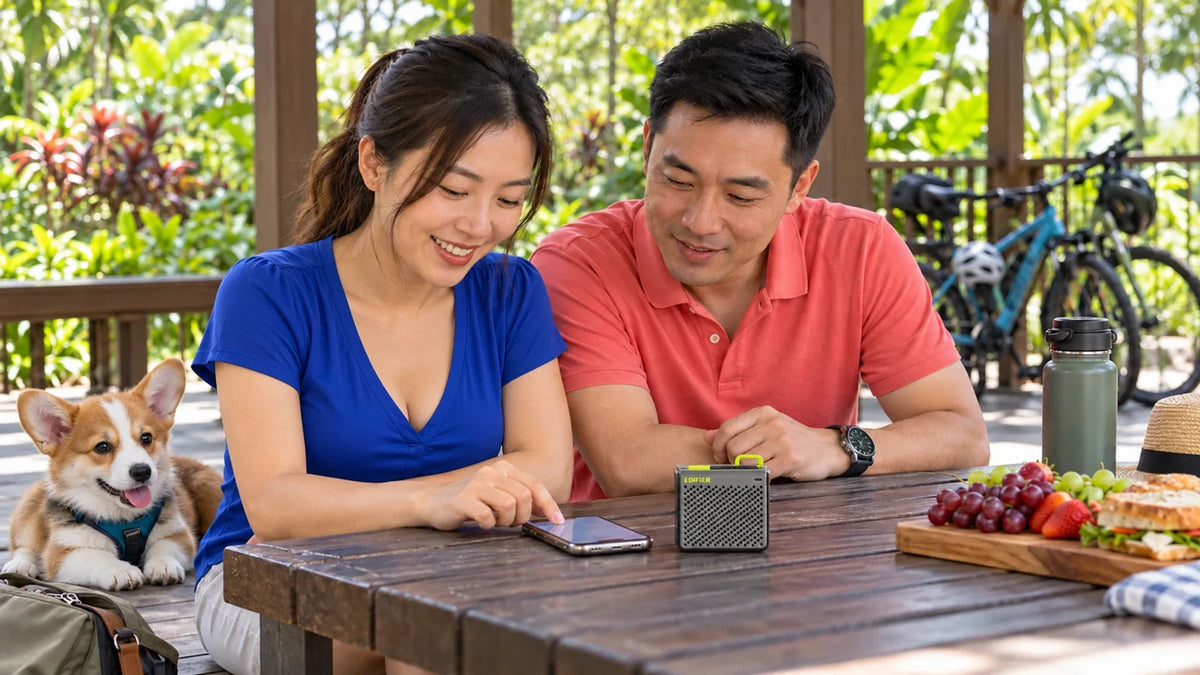
When a Bluetooth speaker cuts out outdoors, test stored audio with the phone close to the speaker. If that works but streaming does not, check the internet or mobile connection. If both break up, investigate the local Bluetooth path, pairing and power state.
The music was fine at home but starts stopping during a picnic. Moving the speaker to a different bench may help, while turning it louder changes nothing. Before replacing it, separate the two wireless connections involved.
The phone receives a stream over WiFi or mobile data, then sends audio to the speaker over Bluetooth. A fault in either path can interrupt the same song.
Two Links Can Interrupt One Song
Start with an audio file or downloaded track you are allowed to play offline. Keep the phone nearby and confirm the speaker is the selected output. Use the same volume and location for the first comparison.
Find Where the Song Stops
The phone uses two separate wireless paths.
01 Internet source
Compare a stored trackIf offline audio is stable, investigate the stream and internet path.
02 Local audio connection
Keep the phone nearbyCheck placement, obstructions, pairing and charge before replacing equipment.
If stored audio is stable but a stream pauses, check the app and internet path. If stored audio also breaks up, the local connection or device deserves attention. This comparison narrows the question; it does not diagnose every possible fault by itself.
Move the Phone Before Moving Every Setting
Place the phone close to the speaker with a clearer path between them. A phone left inside a bag, behind a person or beside a metal object can behave differently from one on the table.
Bluetooth range is not a guaranteed circle drawn around the device. Obstructions, interference and placement matter. Compare a short, clear path before relying on a maximum-range figure from a box.
Try another position away from a crowded wireless area or a likely interference source. Avoid changing the WiFi channel or resetting the whole home network for a picnic problem until the local test points there.
Check the Audio Destination and Pairing
| Symptom | Check | Next comparison |
|---|---|---|
| Song pauses but the speaker stays connected | Stored audio versus the streamed source | Try the same stored file nearby |
| Audio moves to another device | Selected output and other paired equipment | Temporarily use one intended source |
| Playback breaks when the phone moves away | Distance and physical obstructions | Put the phone on the same dry table |
| All sources behave poorly | Speaker power, pairing and supported operation | Try another compatible source before resetting |
Reconnect through the product’s documented process if the connection remains unreliable. A factory reset can remove pairings; use it as a targeted troubleshooting step rather than the opening move.
If calls or music keep switching between devices, the audio-device switching guide addresses that different cause.
Choose a Speaker for the Actual Setting

A small battery-powered Bluetooth speaker for an appropriate dry setting. Portability is separate from water protection and large-area sound coverage.
The MP85 is a compact portable model. Keep it within its documented operating conditions. Edifier’s manual says not to use it near water or expose it to rain or moisture; a carry loop is not evidence of a waterproof design.
For beach travel, keep this type of equipment in a dry, sheltered place away from splashes and sand. If the intended use is genuinely wet or exposed, select a product with documented protection for that environment instead.
Separate Battery, Volume and Connection Quality
Check the speaker’s charge and the source device’s power state before a long session. Follow the specified charging arrangement and keep connectors dry. Do not assume an advertised maximum runtime applies to every volume and workload.
A tiny speaker also has a different coverage role from a larger system. Increasing volume does not improve a weak Bluetooth signal or restore a stalled stream. Choose enough acoustic output for the intended listening area without treating a dropout as a volume problem.
Keep shared outdoor spaces considerate. A close, clear connection and sensible listening distance can be more useful than trying to fill a large public area from a pocket-sized device.
A Five-Step Outdoor Audio Check
- Charge the equipment and confirm the intended speaker is selected.
- Play a stored track with the phone close by.
- Compare the streamed source without changing the local arrangement.
- Try a clearer phone position and, if needed, another compatible source.
- Use the model’s documented reconnection or reset procedure only when the evidence points there.
The mobile-connection guide is useful if the local audio is stable but the internet source remains unreliable.
Identify which link is stopping the music. Replace or upgrade the speaker when its capability is the problem, rather than expecting new hardware to repair poor mobile reception.
Frequently Asked Questions
Can weak mobile data make a Bluetooth speaker seem faulty?
Yes. The phone may pause the stream before audio reaches the speaker. Compare a stored track to separate that path from the Bluetooth connection.
Why does moving the phone out of a bag help?
The local wireless path can change with obstructions and placement. Test a closer, clearer position before judging the hardware.
Does a Bluetooth version guarantee the maximum range?
No. Real range depends on both devices and the environment. Use the intended location and workload as the practical test.
Is the Edifier MP85 waterproof?
Do not use it as a waterproof speaker. Its manual says to keep it away from water, rain and moisture. Choose documented protection for a wet installation.
Will turning up the volume stop dropouts?
No. It does not strengthen the wireless connection or repair a paused internet stream.
Should I reset the speaker immediately?
First check the selected output, power and stored-audio comparison. Use the documented reset procedure only when a targeted connection check calls for it.


