


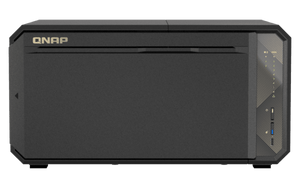

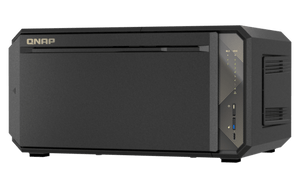


QNAP TS-867X 8-Bay Dual 10GbE Tower NAS
Build a Stronger Home for Growing Team Data The TS-867X brings dual 10GbE networking to a compact business-storage platform built for shared projects, backup and everyday collaboration. Its AMD Ryzen Embedded V1500B processor gives teams four cores and eight threads, while SATA drive bays and dedicated M.2 slots let you plan bulk storage and SSD acceleration separately. It suits studios and smaller organisations moving beyond a single-workstation storage routine. Choose the drives, protection level and network path around the way your team works. Fast network ports help only when the switching, client connections and storage layout can support them. This diskless NAS gives you that flexibility without requiring a separate network expansion card for its built-in 10GbE connections. Highlights AMD Ryzen Embedded V1500B quad-core eight-thread processing Two built-in 10GBASE-T network ports SATA storage plus two dedicated M.2 NVMe slots Memory expansion to 64GB with optional ECC support QTS supplied with a qualified upgrade path to QuTS hero PCIe expansion and USB-A/USB-C connections at up to 10Gbps Key Features A Faster Route to Shared Files Two built-in 10GBASE-T ports serve high-bandwidth file access, large backups and multi-user work. Supported port trunking and suitable switch configurations can share traffic across links, while one client’s actual transfer rate still depends on its network path, the workload and the installed storage. Use the NAS alongside appropriate cabling, switching and workstation adapters. Separate Bulk Storage from SSD Acceleration SATA bays support compatible hard drives and SATA SSDs, with two dedicated M.2 2280 PCIe Gen3 x2 slots for NVMe SSDs. Supported SSD caching can improve random-access workloads; QTS also supports Qtier auto-tiering. These functions have different drive, memory and software requirements. Select suitable heatsinks for M.2 SSDs and shut down before working on non-hot-swappable M.2 or PCIe devices. Start with QTS and Plan Any ZFS Upgrade QTS is supplied as the default operating system. The platform also supports QuTS hero for a ZFS-based deployment, with at least 8GB RAM required. The standard 4GB configuration therefore needs a memory upgrade before using QuTS hero. Inline deduplication requires at least 16GB RAM. Back up important data and plan initialisation before switching operating systems; application availability and storage features differ between them. Make Protection Part of the Workflow Hybrid Backup Sync supports planned backup and synchronisation to supported NAS, external and cloud destinations. Qsync provides supported file synchronisation between devices. Combine these tools with appropriate snapshots, permissions and independent backup copies. RAID and snapshots help with particular failures or mistakes, while a tested separate backup remains essential for ransomware, device loss and wider incidents. Plan Cameras with the Right Entitlement On a supported configuration, QVR Surveillance provides two base camera channels, with six additional channels claimable after registration for a total of eight. QVR Pro separately provides eight built-in channels on compatible QTS installations. Choose the application, camera settings, storage retention and RAM together. Maximum recording capacity depends on the model, operating system, camera bitrate and licence support; plan the system before going beyond the free entitlement. Keep Expansion Deliberate One PCIe Gen3 x4 slot accepts compatible expansion cards, while the built-in USB connections run at up to 10Gbps. USB4 expansion requires the optional QXP-40G2UC card; it is not a built-in USB4 port. Check card dimensions, software support and connected expansion-unit compatibility before allocating the single slot. Memory can expand to 64GB, and ECC requires replacing the supplied non-ECC memory with a supported matched configuration. Summary TS-867X is a considered choice for a team that wants faster shared storage, adaptable drive layouts and a clear backup strategy. Begin with the supplied QTS configuration, then plan memory, SSD acceleration and expansion around the workload. Storage drives are sold separately. Match the NAS, network and protection plan so the finished system is comfortable to manage as your data and applications grow. Frequently Asked Questions Are Hard Drives or M.2 SSDs Included?ExpandCollapse No. This is a diskless NAS. Choose compatible SATA drives and any required M.2 2280 NVMe SSDs separately. The M.2 slots use PCIe Gen3 x2; appropriate SSD heatsinks are recommended. Is ECC Memory Installed as Standard?ExpandCollapse No. The listed configuration includes 4GB of non-ECC DDR4 memory. ECC is supported as an upgrade. Remove the supplied non-ECC module before installing a compatible ECC configuration, and do not mix ECC with non-ECC modules. The two SODIMM slots support up to 64GB. Can I Use QuTS hero with the Standard Memory?ExpandCollapse The standard 4GB configuration uses QTS. QuTS hero requires at least 8GB RAM, and inline deduplication requires at least 16GB. Upgrade memory and confirm application support before changing the operating system. Back up your data before initialising a different storage environment. How Many Camera Channels Are Included?ExpandCollapse QVR Surveillance includes two base channels, with six more claimable after registration on a supported configuration, for eight in total. QVR Pro separately lists eight built-in channels on compatible QTS systems. These are separate application entitlements. Camera resolution, bitrate, operating system, RAM, storage and licence support determine a suitable recording design; the free-channel count is not a fixed maximum. Does It Have Built-in USB4?ExpandCollapse No. Its built-in USB-A and USB-C ports are USB 3.2 Gen2 at up to 10Gbps. Connecting supported USB4 expansion hardware requires the optional QXP-40G2UC PCIe card and a compatible expansion unit. Does RAID Replace a Backup?ExpandCollapse No. An appropriate RAID layout can tolerate certain drive failures. It does not replace an independent backup for accidental deletion, ransomware, theft or a wider system failure. Use separate backup copies and test that important files can be restored.
Mga Dagdag na Produkto (2)
Maaaring kunin sa 3005, Ubi Avenue 3, #01-88
Karaniwang handa sa loob ng 2-4 na araw ng negosyo (hindi kasama ang mga pampublikong pista opisyal)
QNAP TS-867X 8-Bay Dual 10GbE Tower NAS
Paglalarawan
Build a Stronger Home for Growing Team Data
The TS-867X brings dual 10GbE networking to a compact business-storage platform built for shared projects, backup and everyday collaboration. Its AMD Ryzen Embedded V1500B processor gives teams four cores and eight threads, while SATA drive bays and dedicated M.2 slots let you plan bulk storage and SSD acceleration separately. It suits studios and smaller organisations moving beyond a single-workstation storage routine.
Choose the drives, protection level and network path around the way your team works. Fast network ports help only when the switching, client connections and storage layout can support them. This diskless NAS gives you that flexibility without requiring a separate network expansion card for its built-in 10GbE connections.
Highlights
- AMD Ryzen Embedded V1500B quad-core eight-thread processing
- Two built-in 10GBASE-T network ports
- SATA storage plus two dedicated M.2 NVMe slots
- Memory expansion to 64GB with optional ECC support
- QTS supplied with a qualified upgrade path to QuTS hero
- PCIe expansion and USB-A/USB-C connections at up to 10Gbps
Key Features
A Faster Route to Shared Files
Two built-in 10GBASE-T ports serve high-bandwidth file access, large backups and multi-user work. Supported port trunking and suitable switch configurations can share traffic across links, while one client’s actual transfer rate still depends on its network path, the workload and the installed storage. Use the NAS alongside appropriate cabling, switching and workstation adapters.
Separate Bulk Storage from SSD Acceleration
SATA bays support compatible hard drives and SATA SSDs, with two dedicated M.2 2280 PCIe Gen3 x2 slots for NVMe SSDs. Supported SSD caching can improve random-access workloads; QTS also supports Qtier auto-tiering. These functions have different drive, memory and software requirements. Select suitable heatsinks for M.2 SSDs and shut down before working on non-hot-swappable M.2 or PCIe devices.
Start with QTS and Plan Any ZFS Upgrade
QTS is supplied as the default operating system. The platform also supports QuTS hero for a ZFS-based deployment, with at least 8GB RAM required. The standard 4GB configuration therefore needs a memory upgrade before using QuTS hero. Inline deduplication requires at least 16GB RAM. Back up important data and plan initialisation before switching operating systems; application availability and storage features differ between them.
Make Protection Part of the Workflow
Hybrid Backup Sync supports planned backup and synchronisation to supported NAS, external and cloud destinations. Qsync provides supported file synchronisation between devices. Combine these tools with appropriate snapshots, permissions and independent backup copies. RAID and snapshots help with particular failures or mistakes, while a tested separate backup remains essential for ransomware, device loss and wider incidents.
Plan Cameras with the Right Entitlement
On a supported configuration, QVR Surveillance provides two base camera channels, with six additional channels claimable after registration for a total of eight. QVR Pro separately provides eight built-in channels on compatible QTS installations. Choose the application, camera settings, storage retention and RAM together. Maximum recording capacity depends on the model, operating system, camera bitrate and licence support; plan the system before going beyond the free entitlement.
Keep Expansion Deliberate
One PCIe Gen3 x4 slot accepts compatible expansion cards, while the built-in USB connections run at up to 10Gbps. USB4 expansion requires the optional QXP-40G2UC card; it is not a built-in USB4 port. Check card dimensions, software support and connected expansion-unit compatibility before allocating the single slot. Memory can expand to 64GB, and ECC requires replacing the supplied non-ECC memory with a supported matched configuration.
Summary
TS-867X is a considered choice for a team that wants faster shared storage, adaptable drive layouts and a clear backup strategy. Begin with the supplied QTS configuration, then plan memory, SSD acceleration and expansion around the workload. Storage drives are sold separately. Match the NAS, network and protection plan so the finished system is comfortable to manage as your data and applications grow.
Frequently Asked Questions
Are Hard Drives or M.2 SSDs Included?
No. This is a diskless NAS. Choose compatible SATA drives and any required M.2 2280 NVMe SSDs separately. The M.2 slots use PCIe Gen3 x2; appropriate SSD heatsinks are recommended.
Is ECC Memory Installed as Standard?
No. The listed configuration includes 4GB of non-ECC DDR4 memory. ECC is supported as an upgrade. Remove the supplied non-ECC module before installing a compatible ECC configuration, and do not mix ECC with non-ECC modules. The two SODIMM slots support up to 64GB.
Can I Use QuTS hero with the Standard Memory?
The standard 4GB configuration uses QTS. QuTS hero requires at least 8GB RAM, and inline deduplication requires at least 16GB. Upgrade memory and confirm application support before changing the operating system. Back up your data before initialising a different storage environment.
How Many Camera Channels Are Included?
QVR Surveillance includes two base channels, with six more claimable after registration on a supported configuration, for eight in total. QVR Pro separately lists eight built-in channels on compatible QTS systems. These are separate application entitlements. Camera resolution, bitrate, operating system, RAM, storage and licence support determine a suitable recording design; the free-channel count is not a fixed maximum.
Does It Have Built-in USB4?
No. Its built-in USB-A and USB-C ports are USB 3.2 Gen2 at up to 10Gbps. Connecting supported USB4 expansion hardware requires the optional QXP-40G2UC PCIe card and a compatible expansion unit.
Does RAID Replace a Backup?
No. An appropriate RAID layout can tolerate certain drive failures. It does not replace an independent backup for accidental deletion, ransomware, theft or a wider system failure. Use separate backup copies and test that important files can be restored.
Mga detalye
QNAP TS-867X 8-Bay na Tower NAS na may Dalawang 10GbE
Ang QNAP TS-867X ay isang 8-bay na tower NAS para sa mga pinagsasaluhang workspace, backup ng negosyo at IP surveillance. Pinagsasama ng Ryzen processor, dalawang 10GbE port at nakalaang NVMe slot nito ang mabilis na pag-access sa file, SATA storage at SSD acceleration. Nagbibigay ang PCIe expansion at mga compatible na external enclosure ng paraan upang madagdagan ang storage habang lumalaki ang pangangailangan, samantalang pinangangasiwaan ng QTS ang araw-araw na storage management. Nag-aalok ang QuTS hero ng alternatibong gumagamit ng ZFS matapos i-upgrade ang kasamang memory upang matugunan ang mga kinakailangan nito.
| Pagtutukoy | Mga Detalye |
|---|---|
| Prosesador at Memorya | |
| Prosesador | AMD Ryzen Embedded V1500B; 4 na core / 8 thread; 2.2GHz |
| Arkitektura at encryption | 64-bit x86; hardware encryption engine na AES-NI |
| Naka-install na memorya | 4GB non-ECC DDR4 |
| Mga slot ng memorya at pinakamataas na kapasidad | 2 × DDR4 SODIMM slot; hanggang 64GB gamit ang 2 × 32GB na suportado at magkatugmang module |
| Pag-upgrade sa ECC | Suportado; palitan ang kasamang non-ECC memory. Huwag pagsamahin ang ECC at non-ECC na mga module. |
| Flash memory ng sistema | 8GB na may dual-boot na proteksiyon para sa operating system |
| Storage ng Drive at RAID | |
| Mga SATA drive bay | 8 × SATA 6Gb/s bay |
| Mga compatible na SATA drive | 3.5-inch SATA HDD; 2.5-inch SATA HDD; 2.5-inch SATA SSD |
| Mga M.2 slot | 2 × M.2 2280 NVMe PCIe Gen3 x2 slot; hiwalay na ibinebenta ang mga SSD at inirerekomendang heatsink |
| Pagpapalit habang nakabukas | Suportado sa mga SATA drive bay; hindi maaaring palitan habang nakabukas ang mga M.2 SSD, SSD-cache drive at PCIe expansion SSD |
| Mga SATA RAID mode sa QTS | Single; JBOD; RAID 0, 1, 5, 6 at 10; RAID 50 at 60; may mga kinakailangan sa bilang ng drive |
| Mga configuration ng dalawang M.2 drive | Suportado ang single-drive, RAID 0 at RAID 1 na mga ayos; nakadepende sa operating system at gamit ng SSD ang mga available na volume/cache mode |
| Pagpapabilis ng storage | Suportado ang SSD caching; available sa QTS ang awtomatikong pag-tier gamit ang Qtier. May mga kinakailangan sa memory at drive. |
| Network at Pagpapalawak | |
| Built-in na network | 2 × 10GBASE-T port |
| Mga kakayahan ng network | Suportado ang port trunking, VLAN, jumbo frame at Wake-on-LAN; nakadepende sa configuration ng network |
| Pagpapalawak sa PCIe | 1 × PCIe Gen3 x4 slot para sa mga compatible na opsiyonal na card |
| Built-in na USB | 2 × USB 3.2 Gen2 Type-A; 1 × USB 3.2 Gen2 Type-C; hanggang 10Gbps |
| Compatible na USB4 expansion | Hanggang 2 × TL-D810TC4 eight-bay JBOD enclosure; kailangan ang opsiyonal na QXP-40G2UC card sa PCIe slot ng NAS. Hindi sinusuportahan ng built-in na USB-C port ang USB4 connection na ito. |
| USB4 cable at pag-setup | May kasamang USB4 Type-C cable ang bawat TL-D810TC4; direktang ikonekta nang walang hub. Kailangan ang suportadong NAS firmware at BIOS. Hiwalay sa NAS na ibinebenta ang mga enclosure, card at drive. |
| Compatible na USB RAID expansion | Hanggang 2 × TR-004 four-bay RAID enclosure, na ikinokonekta sa built-in na USB Type-A gamit ang kasamang USB-C to USB-A cable ng enclosure; 5Gbps na interface, walang kailangang PCIe card. |
| Ayos ng expansion storage | Nagbibigay ang TR-004 ng hiwalay na storage pool o volume sa halip na palawakin ang internal pool ng NAS. Sinusuportahan ng TL-D810TC4 ang mga hiwalay na storage pool sa mga suportadong QTS o QuTS hero configuration. |
| Sistemang Pang-operasyon at Proteksiyon ng Data | |
| Karaniwang sistemang pang-operasyon | QTS na may EXT4 na internal storage |
| Opsiyon sa QuTS hero | Suportado ang QuTS hero na nakabatay sa ZFS matapos mag-upgrade sa hindi bababa sa 8GB RAM; kailangan ng inline deduplication ang hindi bababa sa 16GB |
| Mga snapshot | Mga snapshot ng QTS volume/LUN at suportadong snapshot ng QuTS hero shared-folder/LUN; nakadepende ang mga limitasyon sa OS, RAM at configuration |
| Pag-backup at pag-synchronise | Hybrid Backup Sync, mga suportadong external/cloud/NAS destination, Qsync at suportadong Time Machine backup |
| Pag-access sa file | Mga serbisyo sa network na SMB/CIFS at NFS para sa mga suportadong Windows, macOS at Linux/UNIX client |
| Inilathalang mga limitasyon sa pag-access ng QTS | Hanggang 4,096 na lokal na user, 512 lokal na grupo at 512 shared folder; nakadepende sa mga resource at workload ang praktikal na kapasidad |
| Sabay-sabay na CIFS connection | Hanggang 1,200 gamit ang pinakamataas na suportadong memory; hindi ito garantiya para sa karaniwang RAM configuration |
| iSCSI | Mga thick/thin LUN, suportadong file/block-based LUN, MPIO at mga kakayahan sa LUN snapshot/replication; may mga limitasyon sa OS at resource |
| Seguridad at mga pahintulot | Mga suportadong ACL, quota ng user/grupo, pagpapatunay na may dalawang hakbang, firewall at encrypted na connection |
| Pagmamanman | |
| Libreng karapatan sa QVR Surveillance | 2 base channel; magparehistro upang ma-claim ang 6 na karagdagang libreng channel sa suportadong configuration, para sa kabuuang 8 |
| Karapatan sa QVR Pro | 8 built-in na channel sa mga compatible na QTS installation; hiwalay sa QVR Surveillance |
| Mga kinakailangan ng application | Kailangan ng QVR Surveillance ang hindi bababa sa 1GB RAM; kailangan ng QVR Pro ang hindi bababa sa 4GB. May mga kinakailangan sa compatibility ng operating system at application. |
| Tantiya sa pag-record ng QVR Surveillance | Hanggang 55 camera channel sa halimbawang pagpaplano ng QNAP para sa QTS; tantiya ito, hindi isang nakapirmi o sertipikadong pinakamataas na bilang para sa bawat modelo. |
| Mga kondisyon sa pagpaplano ng camera | 1080p H.264 sa 30fps at 4.096Mbps bawat camera; karaniwang 4GB RAM; RAID 6 storage na kumpleto ang lahat ng drive; pag-record lamang, walang AI analytics o lokal na playback. Nag-iiba ang aktuwal na kapasidad ayon sa workload at configuration. |
| Mga kinakailangan sa pagdagdag ng channel | Kailangan ng karagdagang lisensiya ng camera lampas sa walong-channel na libreng karapatan. Kumpirmahin ang napiling OS, application, lisensiya at mga kinakailangan sa resource. Hindi pinatutunayan ng bilang sa pagpaplano ng QTS ang recording capacity o availability ng lisensiya sa QuTS hero. |
| Kuryente at Kapaligiran | |
| Suplay ng kuryente | 150W na panloob na suplay ng kuryente; 100–240V AC |
| Karaniwang konsumo ng kuryente | 48W habang gumagana; 24W kapag naka-standby ang disk. Mga bilang ng manufacturer; naaapektuhan ng configuration at workload ang konsumo. |
| Pagpapalamig | 2 × 92mm na bentilador |
| Temperatura habang gumagana | 0–40°C |
| Temperatura sa pag-iimbak | −20–70°C |
| Halumigmig | 5–95% RH, walang kondensasyon; wet-bulb temperature na 27°C |
| Pisikal na Disenyo at Pakete | |
| Uri ng pagkakabuo | Tower |
| Mga sukat H × W × D | 171 × 332 × 232mm |
| Timbang | Netong timbang ng device 3.92kg; kabuuang timbang ayon sa manufacturer 5.32kg |
| Mga kontrol at indicator | Mga button para sa power, reset at USB Auto Copy; mga indicator para sa power/status, USB, LAN, SATA drive at M.2; buzzer |
| Mga kasama sa pakete | NAS na walang kasamang drive; isang 10GBASE-T Ethernet cable; power cord; gabay sa mabilis na pag-install |
| Garantiya | 3 taon |
Mga Dagdag na Produkto


NASCare Extended Warranty with Loaner Unit for 5-8 Bays

