




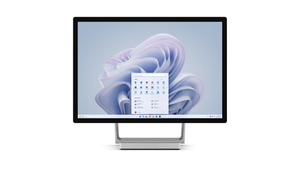
Microsoft Surface Studio 2+
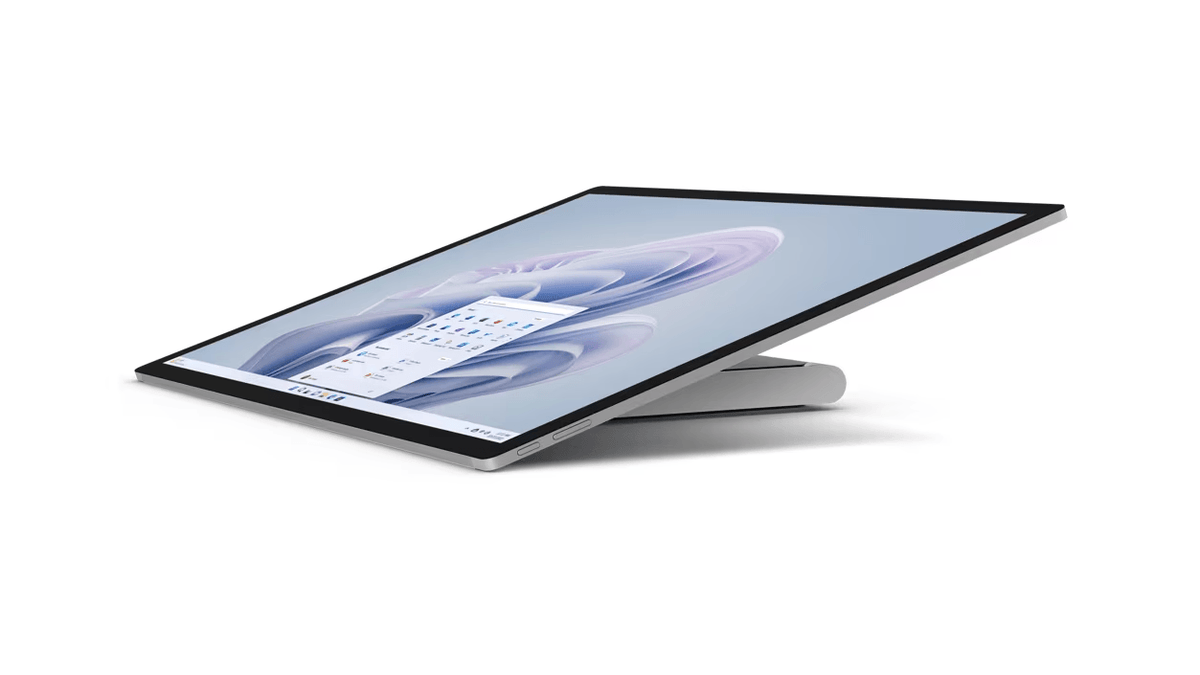
The Microsoft Surface Studio offers a compelling package for creative professionals and those looking for a versatile all-in-one computer. Here's an overview of its key features: Key Features: 28” PixelSense™ Touch Display: Large Screen Real Estate: A strikingly large 28” touch display with a 3:2 aspect ratio, providing 13% more screen space. Zero Gravity Hinge: Allows for adjustable angles, providing the perfect position for creativity and comfort. Dolby Vision® and Dolby® Atmos: Ensures spectacular picture quality and immersive sound. Performance: 11th Gen Intel® Core™ H35 Processor: Ensures quick multitasking and smooth performance. NVIDIA® GeForce RTX® 3060 Laptop GPU: Enables graphics-intensive tasks and gaming with DirectX 12 Ultimate support. Video Calls and Multimedia: Enhanced 1080p HD Camera: Along with far-field dual Studio Mics, ensures clear and engaging video calls. Dolby® Atmos Support: Offers an elevated streaming experience with cinematic sound. Versatility and Design: Windows 11 Integration: Optimized for touchscreens, providing a clean and intuitive design. Surface Pen Compatibility: Complete your experience with the Surface Pen, keyboard, and mouse for a full creative suite. USB-C® with Thunderbolt™ 4: Offers a variety of ports for connectivity. Productivity and Security: Microsoft 365 Integration: Seamlessly integrates with productivity tools. Windows 11 Security and Windows Hello: Provides comprehensive security and password-free sign-in for added convenience. Conclusion: The Microsoft Surface Studio is designed with creativity and versatility in mind. Its large touch display with adjustable hinge, high-end performance, and immersive multimedia features make it suitable for designers, artists, gamers, and professionals who demand a robust and flexible workstation. Its integration with Windows 11 and Microsoft 365 ensures a smooth and productive workflow, while the added security features provide peace of mind. Whether you're sketching a new design, playing the latest games, or conducting a business meeting, the Surface Studio offers a comprehensive solution that adapts to your needs.
Paglalarawan
The Microsoft Surface Studio offers a compelling package for creative professionals and those looking for a versatile all-in-one computer. Here's an overview of its key features:
Key Features:
-
28” PixelSense™ Touch Display:
- Large Screen Real Estate: A strikingly large 28” touch display with a 3:2 aspect ratio, providing 13% more screen space.
- Zero Gravity Hinge: Allows for adjustable angles, providing the perfect position for creativity and comfort.
- Dolby Vision® and Dolby® Atmos: Ensures spectacular picture quality and immersive sound.
-
Performance:
- 11th Gen Intel® Core™ H35 Processor: Ensures quick multitasking and smooth performance.
- NVIDIA® GeForce RTX® 3060 Laptop GPU: Enables graphics-intensive tasks and gaming with DirectX 12 Ultimate support.
-
Video Calls and Multimedia:
- Enhanced 1080p HD Camera: Along with far-field dual Studio Mics, ensures clear and engaging video calls.
- Dolby® Atmos Support: Offers an elevated streaming experience with cinematic sound.
-
Versatility and Design:
- Windows 11 Integration: Optimized for touchscreens, providing a clean and intuitive design.
- Surface Pen Compatibility: Complete your experience with the Surface Pen, keyboard, and mouse for a full creative suite.
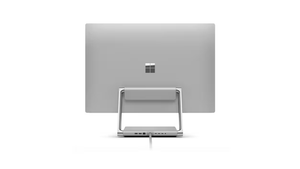
- USB-C® with Thunderbolt™ 4: Offers a variety of ports for connectivity.
-
Productivity and Security:
- Microsoft 365 Integration: Seamlessly integrates with productivity tools.
- Windows 11 Security and Windows Hello: Provides comprehensive security and password-free sign-in for added convenience.
Conclusion:
The Microsoft Surface Studio is designed with creativity and versatility in mind. Its large touch display with adjustable hinge, high-end performance, and immersive multimedia features make it suitable for designers, artists, gamers, and professionals who demand a robust and flexible workstation.
Its integration with Windows 11 and Microsoft 365 ensures a smooth and productive workflow, while the added security features provide peace of mind. Whether you're sketching a new design, playing the latest games, or conducting a business meeting, the Surface Studio offers a comprehensive solution that adapts to your needs.
Mga detalye
| Specification | Details |
|---|---|
| Processor | 11th Gen Intel® Core™ i7-11370H processor |
| Graphics | NVIDIA® GeForce RTX® 3060 Laptop GPU with 6GB GDDR6 GPU memory |
| Memory and Storage | 32GB (DDR4); 1TB solid-state drive (SSD) |
| Display | Screen: 28” PixelSense™ Display; Touch: 10-point multi-touch; Aspect Ratio: 3:2; Resolution: 4500 x 3000 (192 PPI); Colour profile: sRGB and Vivid; Gorilla® Glass 3 |
| Size and Weight | Base: 250mm x 220mm x 31.45mm; Display: 637.35mm x 12.5mm x 438.90mm; Weight: 9.56kg max |
| Security | TPM 2.0 chip; Windows Hello face sign-in |
| Video/Cameras | Front facing Windows Hello face authentication camera; 1080p Full HD front facing camera |
| Audio | Stereo 2.1 speakers with Dolby® Atmos™ |
| Mics | Dual far-field studio microphones |
| Connections | 3 x USB-C® with USB 4.0/Thunderbolt™ 4; Native external display support: Up to three 4K UHD @60Hz; 2 x USB-A 3.1; 3.5 mm headphone jack; 1 Gigabit Ethernet port |
| Network and Connectivity | WiFi 6: 802.11ax compatible; Bluetooth® Wireless 5.1 technology |
| Pen and Accessories Compatibility | Designed for Surface Pen*; Integrated magnetic storage with Surface Pen*; Supports Microsoft Pen Protocol (MPP); Compatible with Surface Dial*, Pen, Keyboard, Mouse |
| Software | Windows 11 Pro; Preloaded Microsoft 365 Apps; Microsoft 365 Business Standard, Premium or Apps 30-day trial |
| Exterior | Physical buttons: Volume, power; Zero Gravity Hinge |
| Sensors | Ambient light sensor |
| What's in the Box | Surface Studio 2+; Power cord with grip-release cable; Quick Start Guide; Safety and warranty guide |
| Keyboard Compatibility | Activation: Moving keys; Layout: QWERTY (English), full row of function keys (F1 – F12); Windows key and dedicated buttons for media controls, screen brightness |
| Warranty | 1-year limited hardware warranty |