
Shokz
Bluetooth Drops Out in the Pool: Use Shokz OpenSwim Pro’s MP3 Mode
Waterproofing and underwater Bluetooth are different questions. Set up local music on OpenSwim Pro, check file compatibility and avoid a silent first lap.
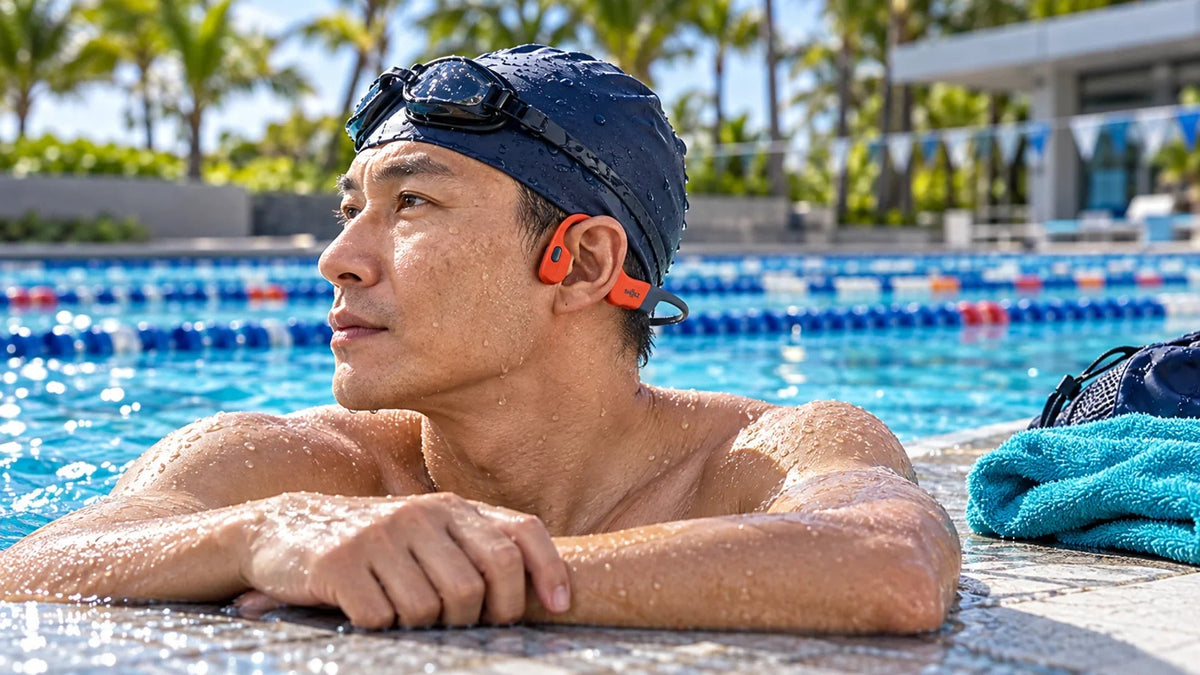
If music cuts out as your head goes underwater, use OpenSwim Pro’s local MP3 mode for swimming. Bluetooth reception through water is unreliable even when the headset is waterproof. Transfer compatible music files with the supplied four-pin magnetic USB cable, select MP3 mode and confirm playback before entering the pool.
The music works beside the pool, then breaks up with every stroke. Moving the phone closer to the lane may seem like the answer. It leaves the same problem in the signal path: audio still has to reach the headset wirelessly through water.
Shokz OpenSwim Pro supports two useful ways to listen. Bluetooth serves compatible sources on land. Its built-in storage provides a separate playback path for swimming. Preparing that second path is what turns a promising first session into a reliable routine.
Waterproofing Is Not Underwater Wireless Range
Choose the Path That Fits the Pool
Waterproofing and radio reception answer different questions.
01 Bluetooth on Land
Phone → Bluetooth → HeadsetThe radio path becomes unreliable when the headset is submerged.
02 Local Music for Swimming
Stored File → Local PlaybackCopy compatible files by USB first; select MP3 mode before swimming.
Water resistance describes the product’s protection under stated conditions. It does not make a phone’s Bluetooth signal behave the same way underwater as it does through air. OpenSwim Pro is rated IP68, with the manufacturer specifying immersion up to 2 m for up to two hours. Those conditions are not a general diving or unlimited immersion guarantee.
Bone conduction describes how the headset delivers sound to the listener. It does not change the radio link from the phone. That is why a bone-conduction headset can still have interrupted Bluetooth audio in a pool.
There is no need to keep the phone next to each lap when compatible files are already stored on the headset. The useful test is whether the headset can play independently before the swim begins.
Transfer Music with the Correct Four-Pin Cable
- Start with a dry headset and dry contacts. Use the supplied OpenSwim Pro four-pin magnetic USB cable.
- Connect it to a computer. Confirm that the headset appears as a storage device. A charging indication alone does not prove that the computer has a data connection.
- Copy a small test selection. Start with one known-compatible, DRM-free music file rather than an entire library.
- Finish the copy and eject the device normally. Disconnect only after the transfer is complete.
- Select MP3 playback and listen on land. Confirm that the copied file plays without relying on the phone connection.
The four-pin cable is important. A similar-looking two-pin charging cable from an OpenRun or OpenComm family product is not interchangeable. OpenSwim Pro does not transfer these music files through Bluetooth or the Shokz app.

Bluetooth for compatible land use and 32 GB of internal storage for local playback. Prepare music and test the selected mode before swimming.
Why a Downloaded Song May Not Be a Playable File
An offline download inside a streaming app is usually an app-managed, protected download. It is not automatically a loose MP3 file that can be copied to another player. A subscription’s offline-listening feature does not by itself provide transferable files for the headset.
Use music you own or are licensed to copy in a supported, unprotected format. Do not rename a protected download to “.mp3” and expect it to become compatible. Changing the filename does not convert its codec or remove access controls.
| What you have | What to check | Useful first step |
|---|---|---|
| An ordinary DRM-free MP3 file | Supported encoding and a complete copy | Copy one file and test it on the headset |
| A FLAC, WAV, AAC, M4A, APE or WMA file | Supported codec, bit depth and sample-rate limits for that format | Check the model’s format requirements; the extension alone is insufficient |
| An offline song inside a streaming app | Whether it is an exportable, licensed ordinary audio file | Use a lawful compatible file source instead of copying app cache data |
| A file that plays on the computer only | The computer may support codecs the headset does not | Compare with one known-compatible MP3 before recopying the whole library |
OpenSwim Pro supports several formats, but the available decoder limits still matter. A high-resolution file, an unusual encoding or a damaged copy can fail even though another file with the same extension plays. Keep the first troubleshooting file simple.
Select and Test the Playback Mode Before the First Lap
Use the supported mode control for the headset’s current setup. Button assignments can be customised through the app, so confirm the configured function rather than repeatedly holding different buttons during a swim.
After selecting MP3 mode, play a copied track with the phone disconnected from Bluetooth. If the track continues, you have demonstrated local playback. This is a cleaner check than watching a Bluetooth icon while the phone remains connected.
Check the wearing position as well. The hooks sit around the ears and the transducers rest in front of them; the rear band goes behind the head. Put the cap and goggles in a comfortable arrangement that does not dislodge the headset. Do not tighten other equipment until it presses the listening units awkwardly against the skin.
Choose an appropriate swimming EQ where available and follow the manufacturer’s fit guidance. A louder setting cannot repair a missing file or the wrong playback mode. Start at a comfortable volume and establish clear playback before adjusting it further.
A Short Troubleshooting Table for Pool Playback
| Symptom | Likely stage to investigate | Next check |
|---|---|---|
| Audio stops only when the head is submerged | Bluetooth signal path | Use local MP3 playback and test without the phone |
| Headset charges but no storage appears | Cable, USB data path or connection | Use the correct four-pin data cable and a known computer USB connection |
| Some copied songs play; others do not | File compatibility or transfer | Compare encoding requirements and recopy one known-good file |
| Music still depends on the phone | Playback mode | Confirm MP3 mode and test with Bluetooth disconnected |
| Local playback works, but listening is uncomfortable | Fit, cap, goggles or volume | Reposition the headset and check at a comfortable level |
Change one variable at a time. If one test file works, there is little value in resetting the headset before checking the rest of the library. If the computer never sees storage, music format is not yet the first problem.
After swimming, follow the model’s cleaning and drying instructions. Keep charging and computer connections away from wet contacts. A pool-ready design still needs sensible care between sessions.
Choose a Listening Workflow You Will Actually Use
For mixed training, keep Bluetooth for supported land listening and prepare a small local collection for the pool. A familiar playlist is easier to test and manage than filling all available storage immediately.
Before leaving home: copy one compatible track, eject, select MP3 mode and play it with the phone disconnected. Once that works, add the rest of the intended swim collection and repeat a quick check.
Do not assume every Shokz model has the same storage or water-use capability. An excellent running headset is not automatically a swimming player. Compare the intended environment, the exact model and whether local playback is required before buying. For a separate land-use problem, the OpenRun Pro 2 volume guide covers fit and outdoor listening; it is not a pool-use recommendation.
The practical answer: solve the underwater audio path with local music, then solve cable and file problems on dry land. A few minutes of preparation is more useful than repeatedly reconnecting Bluetooth between lengths.
Frequently Asked Questions
Why does Bluetooth stop when I put my head underwater?
The wireless path through water is unreliable. Waterproofing protects the headset under stated conditions; it does not guarantee underwater Bluetooth reception. Use OpenSwim Pro’s local MP3 mode for swimming.
Can I transfer songs through the Shokz app?
OpenSwim Pro music files are transferred from a computer using the four-pin magnetic USB cable, rather than through the app or Bluetooth.
Will my OpenRun charging cable work?
The OpenSwim Pro four-pin magnetic cable is different from the two-pin cables used by some other Shokz families. Use the cable intended for the exact model.
Can I copy offline streaming-app downloads?
Do not assume they are transferable audio files. Use legally obtained, DRM-free files in a supported format; an app-managed download may work only inside that service.
Does 32 GB mean every audio format will play?
No. Storage capacity and decoder compatibility are separate. Check the supported encoding limits and test one known-compatible file first.
How can I prove that playback is local?
Select MP3 mode after copying and ejecting the files, then play a track with the phone’s Bluetooth connection disconnected. Confirm that audio continues before entering the pool.


